Your books, done properly. With AI, or without.
Bank lines in; out come GST or sales tax returns, rental schedules, tax figures and reports. It’s for businesses, rental owners and households in Australia, New Zealand, the United States and South Korea.
Only 10 of 15 free online accounts still available
- No subscription
- On your computer or online
- AI off until you turn it on
- Moves over from Xero or QuickBooks
OsaBooks is free. A coffee keeps it that way.
No subscription and no paid tier. One person builds it and keeps it up to date with each year's tax rates and rules. If it saves you an accountant's hour or a software bill, please chip in.
The hard parts of the books, done properly.
Plenty of software reads a bank statement. OsaBooks keeps a real set of books, and does some of the work accountants usually charge for.
Coding that learns from you
Rules are written from how you or your accountant coded before. You never type keywords, and a correction sticks.
GST, BAS and VAT
Each period's return built from your coding: Australia's BAS, New Zealand's GST, South Korea's VAT, and the state sales tax US books collect.
Tax figures for your country
Australia's tax estimate and rental schedule, New Zealand's IR3 and IR10, South Korea's income tax, and US Schedules C and E, each owner with their share.
Rentals, the way accountants set them out
Each property its own entity and owners, rental schedules with last year beside them, and property manager statements.
Payroll
Pay runs with the tax taken out and the leave owed: Australia's PAYG withholding and super, and New Zealand's PAYE and KiwiSaver.
AI, only if you want it
OsaBooks works fully without it. Turn it on to have lines it has never seen suggested, statements read, or a finished year checked. Nothing goes in until you accept it.
Matching that understands money
Transfers between your own accounts, invoices settled by part payments, and Stripe payouts split into sale, surcharge and fee.
Assets and vehicles
A fixed asset register with depreciation and disposals, and vehicle trips claimed at the kilometre rates.
Books that have to balance
Every line lands in a double-entry ledger, so a mistake shows as a figure that does not add up, not a report that quietly reads wrong.
How a bank line becomes balanced books.
Two worked examples to click through: a deposit coded to sales and GST, and an invoice matched to the payment that settles it.
| DATE | BANK LINE | AMOUNT | RECONCILE | POSTED TO | DEBIT | CREDIT |
|---|
| SOURCE | REF / ID | CONTACT / BANK LINE | MATCH | CODE | ACCOUNT NAME | DESCRIPTION | DEBIT | CREDIT |
|---|
📊 Accrual Accounting (610 AR) Waiting for Invoice
Tracks who owes you money. When you issue an invoice, $225.00 is logged in Accounts Receivable immediately so you always know your outstanding revenue.
🏦 Cash Basis GST (820 GST) 0.00 Reportable
On a Cash Basis for GST, the $29.35 tax component is held in suspense and is NOT payable to the tax office until the customer's cash payment actually lands in your bank and you click the green tick.
Connect your bank. The lines come to you.
Link your bank and new transactions arrive ready to code: US banks through SimpleFIN, New Zealand banks through Akahu, and Wise wherever you are. Prefer files? Statement exports from any bank work too, and the same line is never counted twice.
Your bank login and tokens stay with you: on your own computer they never leave the books' folder.
Bank feedsUS banks through SimpleFIN, New Zealand's main banks through Akahu, and each your own connection.
WiseMulti-currency balances, with the amount billed in your account's currency.
Statement filesCSV, OFX and QFX exports from banks and cards, loans included. Duplicates are recognised.
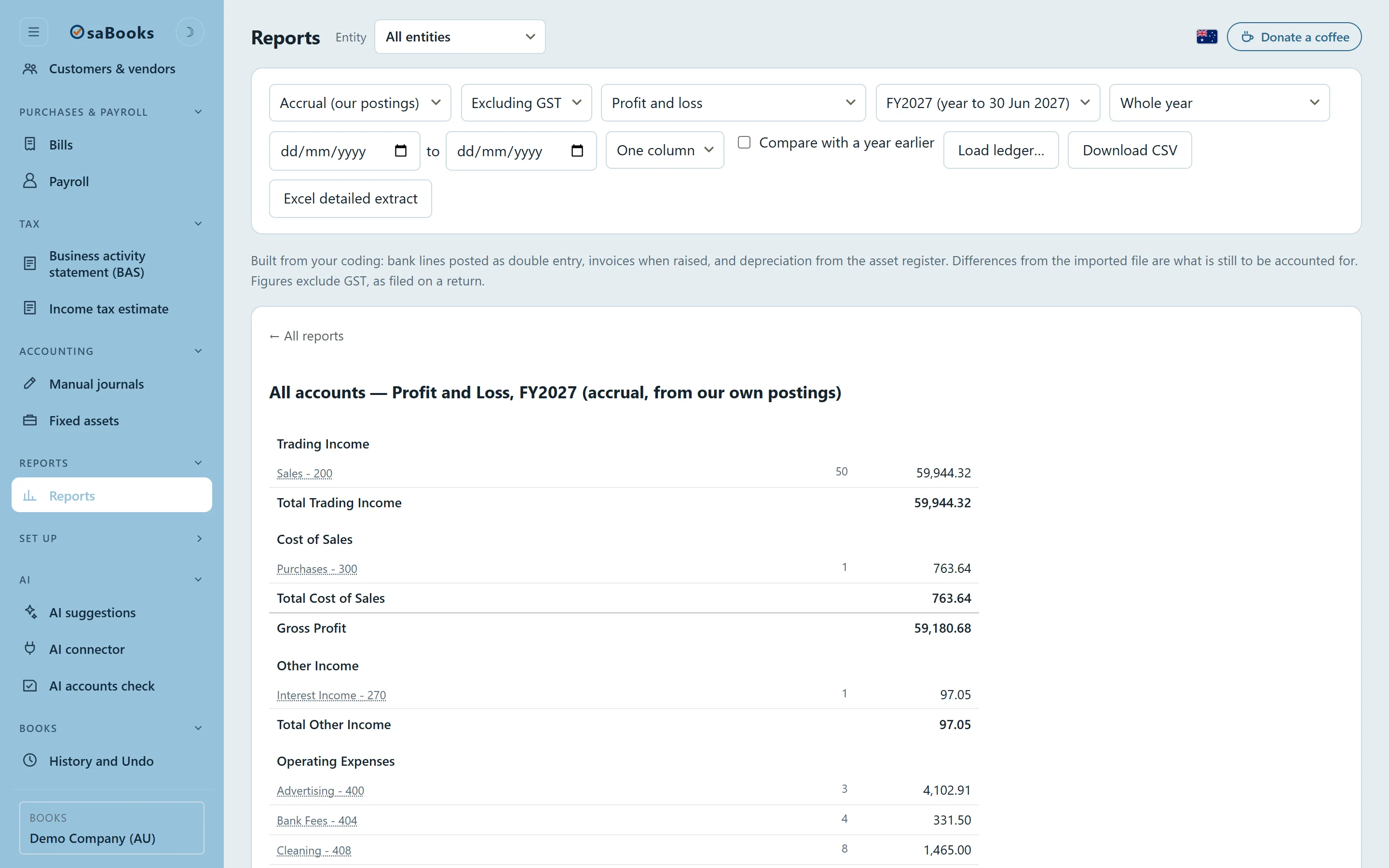
Most of a year codes itself. You deal with the handful that matter.
Load the coding from Xero, QuickBooks or your spreadsheet and OsaBooks lines up every suggestion against what was actually done, then writes the rules from the agreement.
- Accept the bulk in a few clicks; disagreements are set out on their own.
- It asks rather than guesses: a line it cannot place stays in front of you.
- Split a line between accounts, or between people, in a couple of clicks.
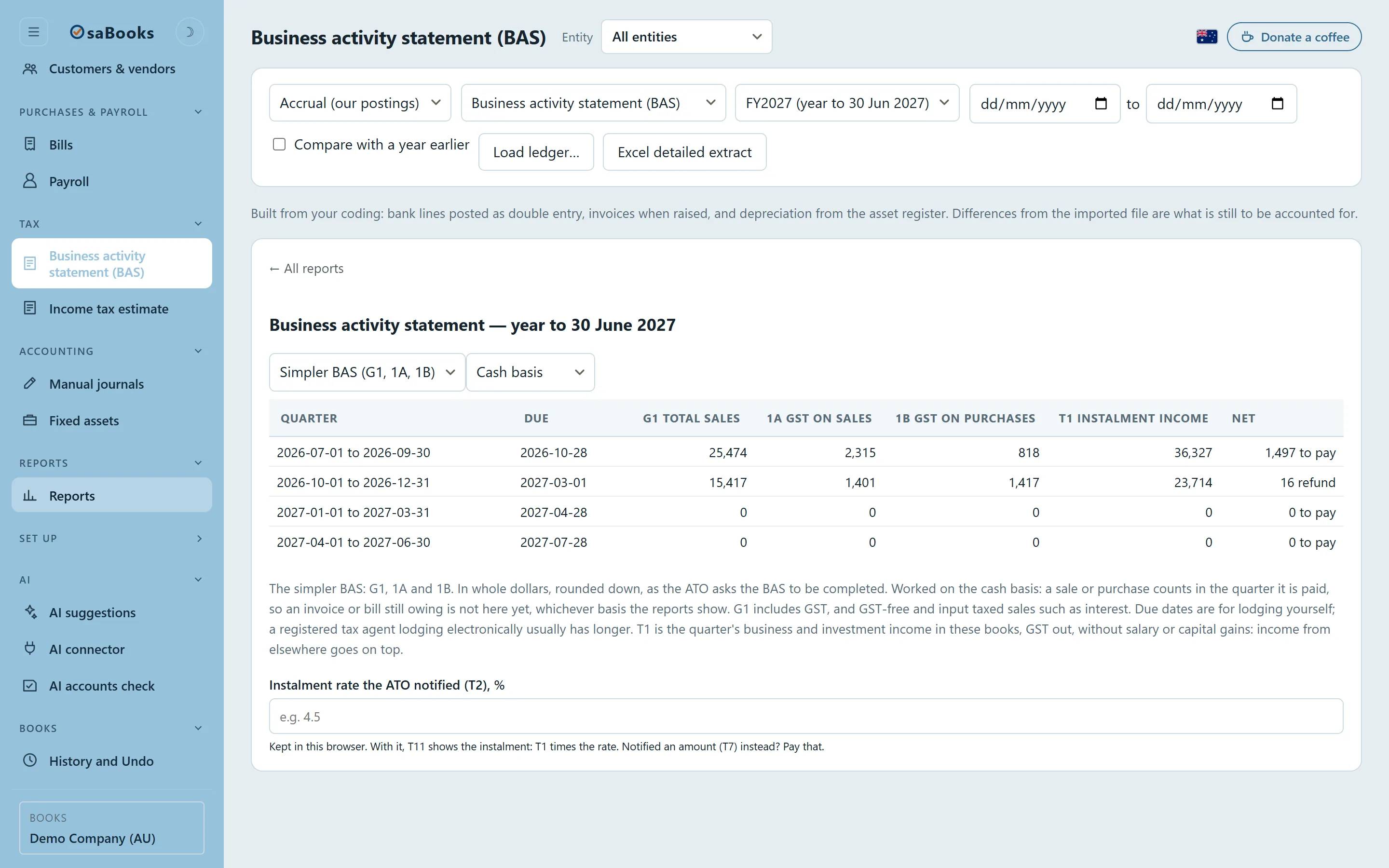
Every return built from your coding, and checked.
Each period's return comes straight from the lines you have coded, so it is up to date whenever you look, and nothing is typed in twice.
- The returns your country files: BAS, GST, VAT, or US state sales tax.
- Transfers never reach a return, and refunds go back to the right box.
- Each owner of a shared rental can file for their own share.
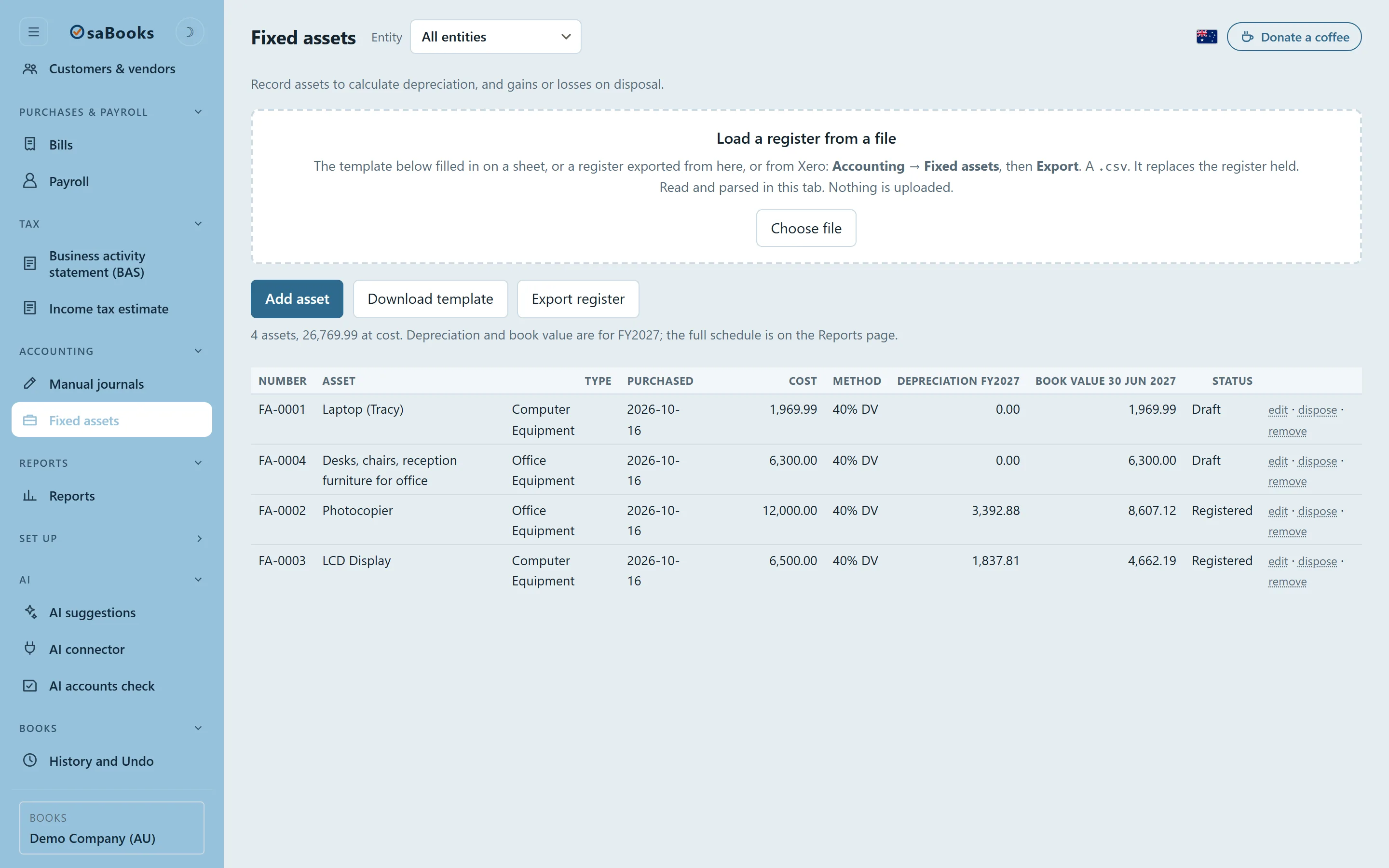
Rental schedules and tax figures, ready for your accountant.
Each property's year on one card: its schedule, the property manager's statements and trips made to it. Each owner's share follows them into their own tax figures, and the asset register works out each year's depreciation.
- Property manager statements entered by hand, or read for you if you use AI.
- Your country's own forms and schedules, worked out from your books.
- A full year checked against an accountant's signed accounts, to the dollar.
Kept where you choose, shared with whom you choose.
On your own computer
Your books are plain files in a folder you can back up and read without this software. Nothing from them leaves the computer unless you connect a bank feed or an AI.
Or online
Work on your books from any device: with a free OsaBooks account, or on your own Supabase project, a database only you control.
With your accountant
Invite your accountant or bookkeeper to your books online, each with the access they need. Lock a finished year, and any later change is on record.
Moving from Xero or QuickBooks
Bring your files and OsaBooks lays its figures beside theirs, so you can see they agree before you rely on them.
Backups you hold
One file with everything: the books, the rules and the history. Restore it into any copy of OsaBooks, on any computer.
Open source
Free software under the GNU AGPL. Read every line on GitHub, check how a figure is worked out, or run your own copy.
Try it on invented books first.
The demo is a coffee roastery and two rentals, part way through a year. Change anything; nothing is real.